BI and Data Lead

From data sources to a shared foundation for planning and reporting

Connect ERP systems, business systems, data warehouses, and other sources to the PLANNORS Platform. Create a structured data foundation for budgeting, forecasting, reporting, and analysis—and bring write-back and planning into the Power BI environment users already work in.

Build on your data architecture—instead of building alongside it

PLANNORS is designed to fit into your existing data landscape. Connect the platform to ERP, Microsoft Fabric, data warehouses, and Power BI, among others, so you can create alignment between the data foundation and the Finance processes that use it—without establishing yet another isolated data silo.

FROM BI TO PLANNING

Why settle for analysing data when you can also plan with it?

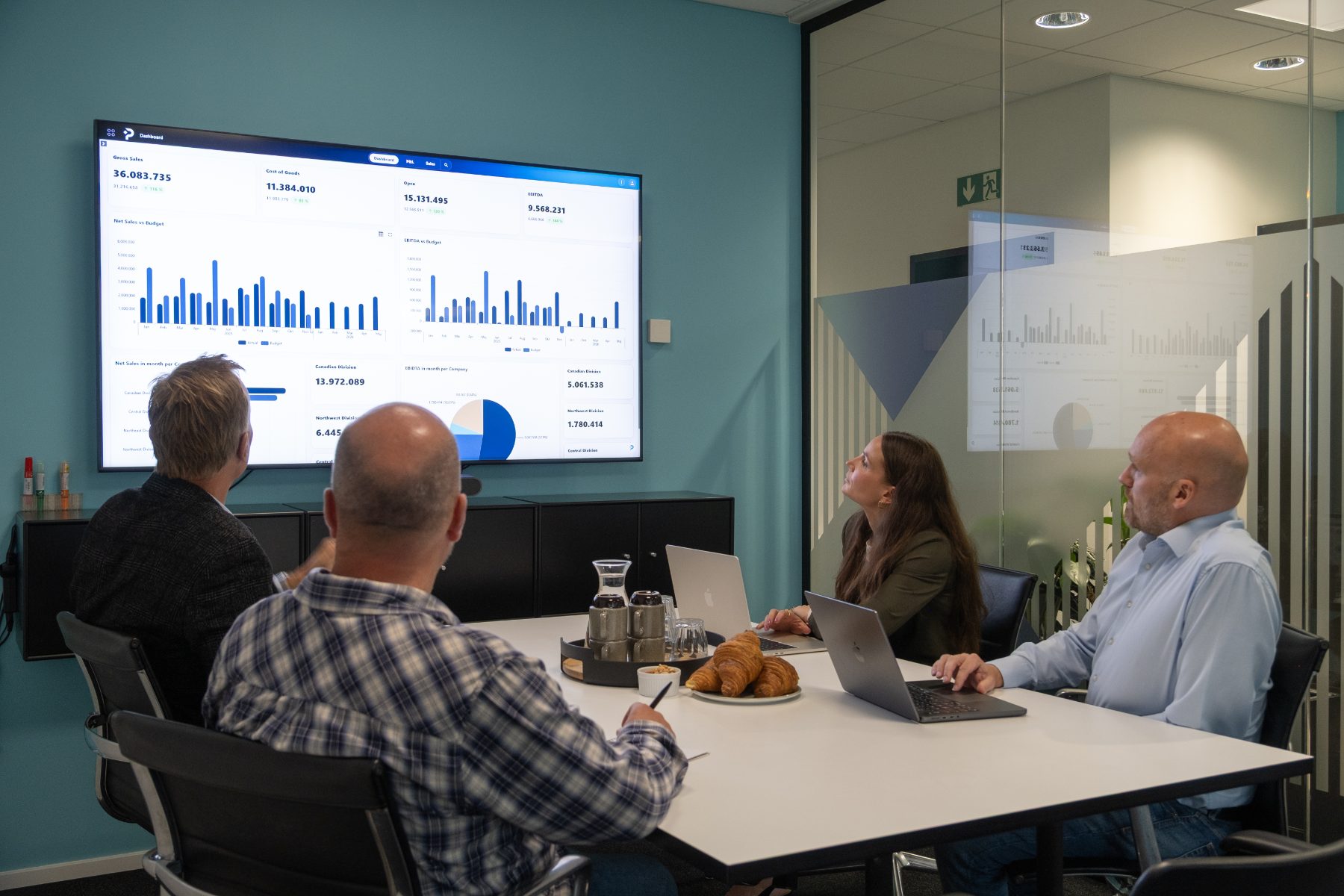
You have already invested in ERP, data platforms, and Power BI. The data is consolidated, the reports are in place, and the organisation has access to valuable insights. But why move budgeting and forecasting into Excel or separate systems when planning can happen directly in Power BI?

With PLANNORS, Power BI becomes not only a tool for understanding the past—but also for shaping the future.

PLANNORS makes it possible to work with budgets, forecasts, and scenarios directly in Power BI through integrated write-back. At the same time, the platform ensures the necessary calculations, workflows, access rights, and governance.

The result is a cohesive solution where Finance and BI work across reporting and planning—built on the existing data architecture.

No unnecessary parallel systems. Better use of your Microsoft investments. One cohesive process from insight to action.

#pl-fig-rolle-bi .pl-in{max-width:1400px;margin:0 auto;padding:0 32px} #pl-fig-rolle-bi .pl-t2r{position:relative} #pl-fig-rolle-bi .pl-t2r__raekke{display:grid;grid-template-columns:repeat(6,1fr);gap:28px;align-items:stretch} #pl-fig-rolle-bi .pl-t2r__spalte{display:flex;flex-direction:column} #pl-fig-rolle-bi .pl-t2r__kort{position:relative;flex:1;display:flex;flex-direction:column;align-items:center;text-align:center;background:#fff;border:1px solid rgba(6,1,13,.14);padding:20px 16px 24px;text-decoration:none;color:inherit;transition:border-color .18s ease,background-color .18s ease,box-shadow .18s ease,transform .18s ease} #pl-fig-rolle-bi .pl-t2r__ikon{width:42px;height:42px;flex:0 0 42px;background:#F5F5FC;display:flex;align-items:center;justify-content:center;margin-bottom:16px;transition:background-color .18s ease} #pl-fig-rolle-bi .pl-t2r__ikon svg{display:block} #pl-fig-rolle-bi .pl-t2r__navn{display:block;font-size:14.5px;font-weight:500;line-height:1.3;color:#06010D;margin:0 0 6px;transition:color .18s ease} #pl-fig-rolle-bi .pl-t2r__under{display:block;font-size:12.5px;font-weight:300;line-height:1.45;color:rgba(6,1,13,.7)} #pl-fig-rolle-bi .pl-t2r__pil{position:absolute;top:18px;right:16px;width:8px;height:8px;border-top:1.5px solid #2A47DB;border-right:1.5px solid #2A47DB;transform:rotate(45deg) translate(-3px,3px);opacity:0;transition:opacity .18s ease,transform .18s ease} #pl-fig-rolle-bi a.pl-t2r__kort:hover,#pl-fig-rolle-bi a.pl-t2r__kort:focus-visible{border-color:#2A47DB;background:#EDF0FF;transform:translateY(-3px);box-shadow:0 10px 24px rgba(42,71,219,.14)} #pl-fig-rolle-bi a.pl-t2r__kort:hover .pl-t2r__ikon,#pl-fig-rolle-bi a.pl-t2r__kort:focus-visible .pl-t2r__ikon{background:#fff} #pl-fig-rolle-bi a.pl-t2r__kort:hover .pl-t2r__navn,#pl-fig-rolle-bi a.pl-t2r__kort:focus-visible .pl-t2r__navn{color:#2A47DB} #pl-fig-rolle-bi a.pl-t2r__kort:hover .pl-t2r__pil,#pl-fig-rolle-bi a.pl-t2r__kort:focus-visible .pl-t2r__pil{opacity:1;transform:rotate(45deg) translate(0,0)} #pl-fig-rolle-bi a.pl-t2r__kort:focus-visible,#pl-fig-rolle-bi a.pl-t2r__baand:focus-visible{outline:2px solid #2A47DB;outline-offset:3px} #pl-fig-rolle-bi .pl-t2r__kort–aktiv{border-color:#31DEF5;background:rgba(49,222,245,.10)} #pl-fig-rolle-bi .pl-t2r__kort–aktiv .pl-t2r__ikon{background:rgba(49,222,245,.22)} #pl-fig-rolle-bi .pl-t2r__kort–aktiv .pl-t2r__under{color:#2A47DB;font-weight:500} #pl-fig-rolle-bi .pl-t2r__lod{position:relative;z-index:2;display:block;height:42px} #pl-fig-rolle-bi .pl-t2r__lod::before{content:””;position:absolute;left:50%;top:0;bottom:3px;border-left:1px dotted rgba(6,1,13,.25);transform:translateX(-.5px);transition:border-color .18s ease} #pl-fig-rolle-bi .pl-t2r__lod::after{content:””;position:absolute;left:50%;bottom:-4.5px;width:9px;height:9px;margin-left:-4.5px;background:#fff;border:1px solid rgba(6,1,13,.35);transform:rotate(45deg);transition:background-color .18s ease,border-color .18s ease} #pl-fig-rolle-bi .pl-t2r__spalte–aktiv .pl-t2r__lod::before{border-left:1.2px solid #2A47DB} #pl-fig-rolle-bi .pl-t2r__spalte–aktiv .pl-t2r__lod::after{background:#2A47DB;border-color:#2A47DB} #pl-fig-rolle-bi a.pl-t2r__kort:hover ~ .pl-t2r__lod::before,#pl-fig-rolle-bi a.pl-t2r__kort:focus-visible ~ .pl-t2r__lod::before{border-left:1.2px solid #2A47DB} #pl-fig-rolle-bi a.pl-t2r__kort:hover ~ .pl-t2r__lod::after,#pl-fig-rolle-bi a.pl-t2r__kort:focus-visible ~ .pl-t2r__lod::after{background:#2A47DB;border-color:#2A47DB} #pl-fig-rolle-bi .pl-t2r__baand{position:relative;display:flex;align-items:center;justify-content:center;gap:10px;min-height:48px;padding:12px 44px;background:#EDF0FF;border:1px solid rgba(42,71,219,.30);text-decoration:none;transition:border-color .18s ease,background-color .18s ease} #pl-fig-rolle-bi .pl-t2r__baand:hover,#pl-fig-rolle-bi .pl-t2r__baand:focus-visible{border-color:#2A47DB;background:#E3E9FF} #pl-fig-rolle-bi .pl-t2r__bomaerke{display:flex;width:20px;height:20px;flex:0 0 20px} #pl-fig-rolle-bi .pl-t2r__bomaerke svg{display:block;width:20px;height:20px} #pl-fig-rolle-bi .pl-t2r__baandtekst{font-size:11.5px;font-weight:500;letter-spacing:.14em;color:#2A47DB;line-height:1.3;text-align:center} #pl-fig-rolle-bi .pl-t2r__baandpil{position:absolute;top:50%;right:20px;width:8px;height:8px;margin-top:-4px;border-top:1.5px solid #2A47DB;border-right:1.5px solid #2A47DB;transform:rotate(45deg) translate(-3px,3px);opacity:0;transition:opacity .18s ease,transform .18s ease} #pl-fig-rolle-bi .pl-t2r__baand:hover .pl-t2r__baandpil,#pl-fig-rolle-bi .pl-t2r__baand:focus-visible .pl-t2r__baandpil{opacity:1;transform:rotate(45deg) translate(0,0)} #pl-fig-rolle-bi .pl-t2r__skjult{position:absolute;width:1px;height:1px;padding:0;margin:-1px;overflow:hidden;clip:rect(0 0 0 0);white-space:nowrap;border:0} @media(max-width:1200px){#pl-fig-rolle-bi .pl-t2r__raekke{grid-template-columns:repeat(3,1fr);row-gap:20px}#pl-fig-rolle-bi .pl-t2r__lod{display:none}#pl-fig-rolle-bi .pl-t2r__baand{margin-top:28px}} @media(max-width:820px){#pl-fig-rolle-bi .pl-t2r__raekke{grid-template-columns:repeat(2,1fr);gap:16px}} @media(max-width:767px){#pl-fig-rolle-bi .pl-in{padding:0 20px}#pl-fig-rolle-bi .pl-t2r__baandtekst{font-size:10.5px;letter-spacing:.1em}#pl-fig-rolle-bi .pl-t2r__baand{padding:12px 36px}} @media(max-width:460px){#pl-fig-rolle-bi .pl-t2r__raekke{grid-template-columns:1fr}} @media(max-width:767px){#pl-fig-rolle-bi .pl-t2r__raekke{grid-template-columns:1fr;gap:8px}#pl-fig-rolle-bi .pl-t2r__kort{display:grid;grid-template-columns:36px 1fr;grid-template-rows:auto auto;column-gap:14px;align-items:center;text-align:left;padding:12px 40px 12px 14px}#pl-fig-rolle-bi .pl-t2r__ikon{grid-column:1;grid-row:1 / span 2;width:36px;height:36px;margin:0}#pl-fig-rolle-bi .pl-t2r__navn{grid-column:2;margin:0 0 2px;align-self:end}#pl-fig-rolle-bi .pl-t2r__under{grid-column:2;align-self:start}#pl-fig-rolle-bi .pl-t2r__pil{top:50%;margin-top:-5px}#pl-fig-rolle-bi .pl-t2r__baand{margin-top:16px}} @media(prefers-reduced-motion:reduce){#pl-fig-rolle-bi a.pl-t2r__kort:hover,#pl-fig-rolle-bi a.pl-t2r__kort:focus-visible{transform:none}}

What you gain from PLANNORS as a BI and Data Lead

From data architecture to an active Finance platform

Icon: Platform

Build on your existing data landscape

Connect PLANNORS to ERP systems, Microsoft Fabric, data warehouses, Power BI, and other relevant data sources. This makes it possible to build on the architecture and data investments you already have.

Icon: Budget

Bring planning into Power BI

Make Power BI more than reporting and analysis. With PLANNORS write-back, users can enter budgets and forecasts directly in Power BI and work with planning in an environment they already know.

Icon: User

Create structure around Finance data

Structure data for use in budgeting, forecasting, reporting, and analysis. PLANNORS provides Finance with the multidimensional structure needed to work with, among other things, organisation, accounts, products, customers, and other relevant dimensions.

Icon: Governance

Maintain governance and control

Establish clear frameworks for who can see and work with which data. Permissions management and governance provide control over Finance data and the users who work with it—even when planning involves many parts of the organisation.

MEET PLANNORS

Built for how finance works today

Finance needs to work faster, involve more people, and create a stronger basis for decision-making—while ensuring that complex processes, data, and governance remain connected.

Hear our CTO, Flemming Nielsen, explain how PLANNORS brings budgeting, forecasting, consolidation, and reporting together in a single cloud-native Finance & Operation Platform—and how AI is integrated directly into the platform for, among other things, insights, variances, and forecasting.


Flemming Nielsen, CTO at PLANNORS

Customer testimonial · Kohberg

“We use VIS in many areas of the business and are very satisfied with the solution. At the same time, we see some exciting opportunities in PLANNORS, and therefore, as a first step, we have chosen to move parts of our VIS solution onto the new platform.”

Mathias Gefke
Business Intelligence Manager | Kohberg

Most relevant solutions

Explore the solutions that create alignment between data, reporting, and planning.

Combine Power BI reporting with budgeting, forecasting, and input through PLANNORS. The integration makes it possible to work with planning data in the context of the reports and dimensions users already work with.

See Budgeting in Power BI

Collect, structure, and quality-assure data from different sources as the foundation for planning, analysis, and reporting. PLANNORS creates alignment between Finance processes and the existing data landscape, with integration to ERP, Microsoft Fabric, data warehouse, and Power BI, among others.

See Data Management

Next step

See how PLANNORS fits into your data architecture

Book a demo based on your existing setup. See how PLANNORS can connect Power BI, data, and planning—and how write-back can bring budgeting and forecasting closer to the reporting users already work with.